
Record, replay, overdub, mix - the four basic operations of the mighty SSL mixing console
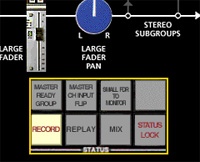
For just three controls to be the most important out of thousands must make them pretty special, and they are. They are among the console status controls and are labeled RECORD, REPLAY and MIX. There could have been another one called OVERDUB, but you can select this mode by pressing the record and mix buttons simultaneously.
These four button combinations neatly summarize the basics of multitrack recording...
In your flight of fancy where you are the engineer operating an SSL mixing console, imagine also a band in the studio. (Naturally the console is in the separate control room).
Starting off with a blank tape, the first thing you will want to do is record 'basic tracks' where the band all plays together.
Each channel module has two faders - the small fader is used to control the level going to the multitrack recorder. Clearly the level must not be too high as to cause distortion; also it must not be too low otherwise there will be more noise than necessary. The large faders of the channels are used to create a 'monitor mix', which doesn't affect the levels going to the multitrack, but is purely so you can hear the music in a reasonably correct balance as you record.
After recording, the next step is to play the take back and assess its merits. It is convenient if there are loudspeakers in the studio so the band can hear the playback without coming through to the control room.
The third stage is overdubbing, where additional instruments or vocals are recorded, in sync with the tracks that have already been recorded.
The final stage is mixing, where all of the instruments and vocals are blended to the correct proportions, creating the mix that the listener will eventually hear.
For more detail on the Record, Replay, Overdub and Mix modes of the SSL mixing console, read on...
Record: used when recording basic tracks
- Record from microphone inputs to the multitrack recorder.
- The multitrack recorder is switched to Sync output so that the output signals are synchronized with the signal being recorded. (In an analog recorder, the output is taken from the record head, not the playback head).
- The channel inputs are routed to the small faders via the multitrack routing matrix to the multitrack.
- The large fader carries the group output or the multitrack return signal as selected locally on the channel module. (A 'group' is a mix of signals, or single signal, sent to one track of the multitrack. There are as many groups as channel modules. The first 48 are accessed via the routing matrix on each channel).
Replay: used for playback of basic tracks
- As Record status except that the multitrack is switched to the normal playback output rather than sync, which offers slightly improved quality in an analog recorder.
- The studio loudspeakers are switched on so that the musicians may hear the playback.
- All large faders are switched to Tape, overriding any local Group selections.
Mix: used for mixing to stereo
- When recording is complete, the console is switched to Mix status.
- All the channel modules are switched to line input, to which the outputs of the multitrack recorder are normally connected.
- The signals are routed via the large faders to the stereo mix.
- The small faders are now fed from the Group/Tape selection buttons, and send signal via the multitrack routing matrix. The small faders can be used to feed additional signals to the mix, or as additional auxiliary sends.
Record + Mix (Overdub): used when adding overdubs to basic tracks
- When the Record and Mix status buttons are pressed simultaneously, the multitrack switches to sync output, if available.
- All channel modules go into Mix status, unless the module's Group or Tape switch is pressed, in which case that channel goes into Record status.

David Mellor
David Mellor is CEO and Course Director of Audio Masterclass. David has designed courses in audio education and training since 1986 and is the publisher and principal writer of Adventures In Audio.


